Change the key
Move the pitch up or down by up to four semitones, while keeping the original tempo.
SUPERBACKINGS · AUDIO LAB
Change the key of your backing tracks without changing the tempo. Sing in a more comfortable range, customize the sound and export your own version.
FREE for eligible tracks purchased individually at Superbackings. No extra software to install. Your original recording stays unchanged.
CUSTOMER ACCESS
Use your existing Superbackings account. Your eligible purchased tracks will appear automatically.
New to Superbackings? Create your account
You need an eligible individual track purchase to use the audio editor.
A LOOK INSIDE
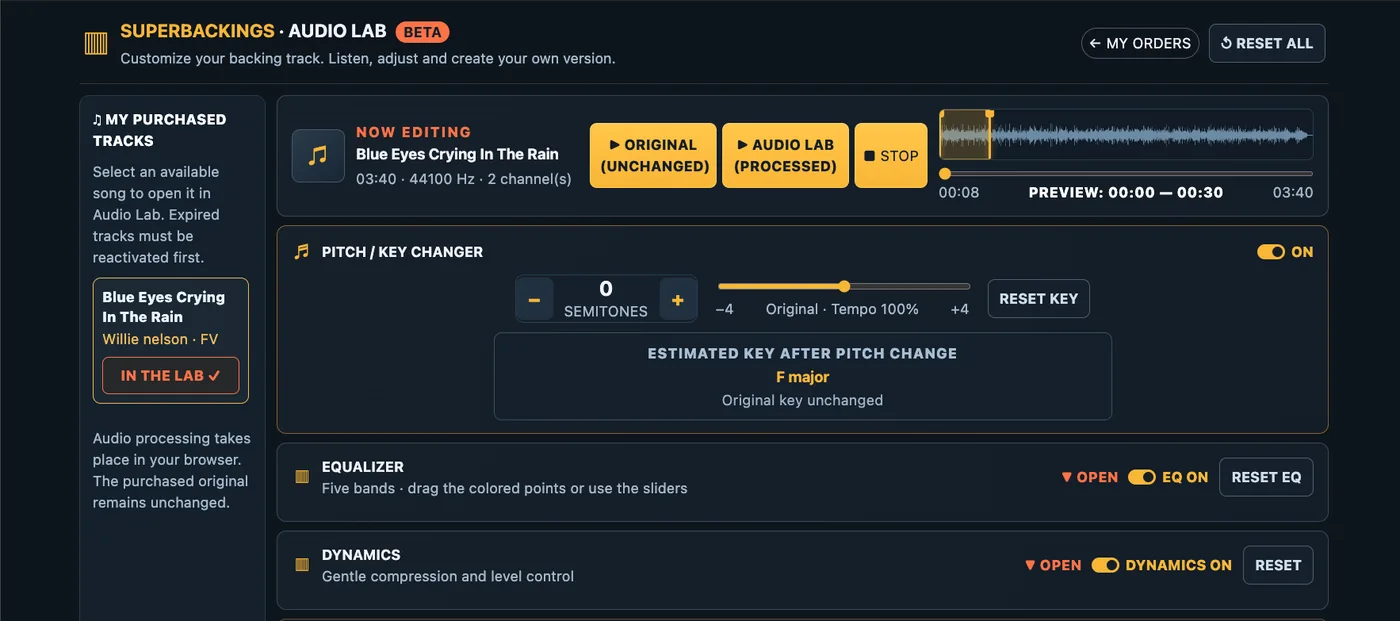
Audio Lab is an online music customization tool for Superbackings customers. It lets you transpose an eligible purchased backing track, shape its frequency balance and refine its dynamics using your browser. Compare what you changed against the original recording and create a new audio file when you are ready. There is no extra software to install, and your original purchased track is never overwritten.
WHAT YOU CAN CHANGE
Whether you are rehearsing a vocal part, preparing for a live performance or practicing at home, these controls help you tailor an existing backing track to your needs.
Move the pitch up or down by up to four semitones, while keeping the original tempo.
Use the five-band equalizer to adjust bass, mids and treble to suit your listening setup.
Choose gentle compression, peak control and output level adjustments when needed.
Download the complete processed track as WAV (16-bit PCM) or MP3 (320 kbps).
FEATURE 01 · FREE ONLINE PITCH SHIFTER
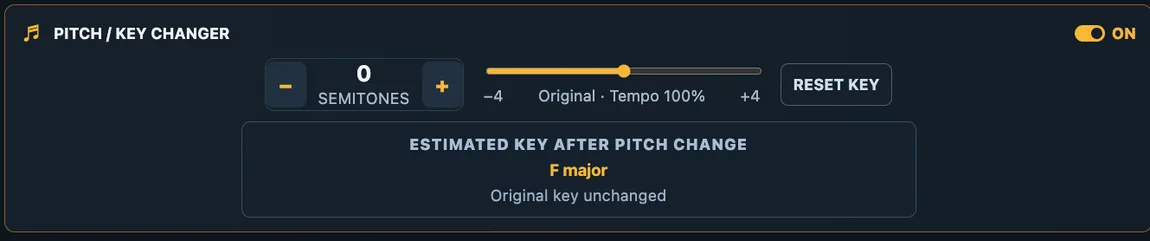
Some backing tracks sit a little too high or too low for your natural singing range. With Audio Lab's pitch and key changer, you can transpose your purchased track up or down in one-semitone steps, from −4 to +4 semitones, without speeding it up or slowing it down.
Try a lower key for a more comfortable vocal performance, or move the music higher to suit your arrangement. You can return to the original key instantly with Reset Key. The built-in key detector estimates the musical key as a guide, but automatic detection is not always accurate.
Pitch-shifting quality depends on the recording and the size of the adjustment. Preview the result before exporting.
FEATURE 02 · ONLINE AUDIO EQUALIZER
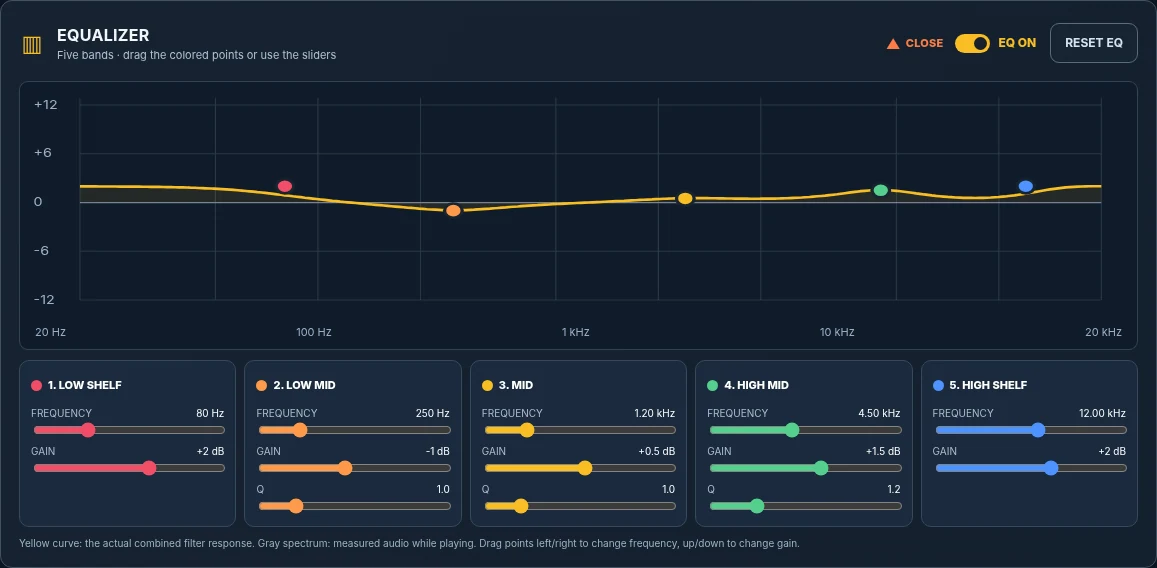
Every room, speaker system and listening setup sounds different. The five-band audio equalizer gives you control over the tonal balance of your backing track. Adjust the low frequencies, middle range and high frequencies to make the music better suited to your environment.
You can move the EQ points on the response graph or use the controls for each band. A visual frequency display helps you understand how your adjustments shape the sound. Use EQ On to compare the adjusted sound with the bypassed version, and Reset EQ to start again.
EQ shapes the existing stereo recording: it does not separate or replace individual instruments.
FEATURE 03 · DYNAMICS AND LEVEL CONTROL
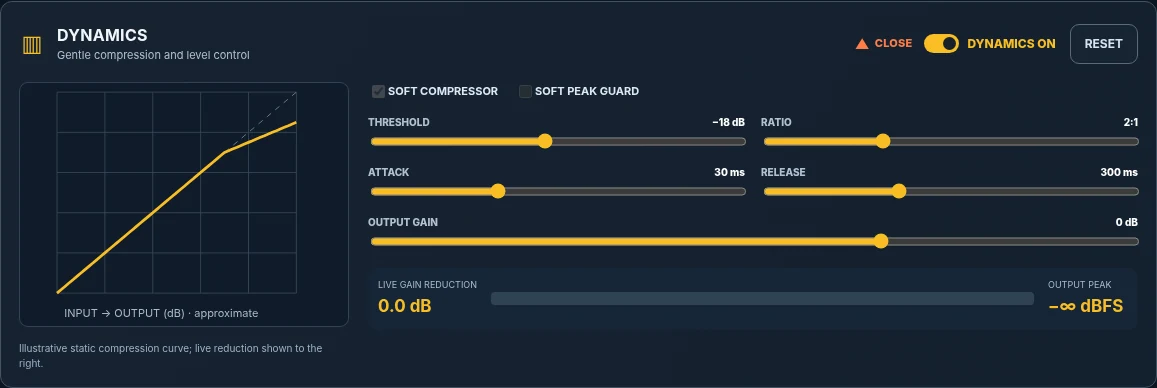
The Dynamics section lets you experiment with a soft compressor, peak guard and output gain controls. Compression can reduce differences between louder and softer passages when used carefully. Adjusting the output level can help your processed track sit more comfortably in a rehearsal or listening setup.
The compressor offers controls such as threshold, ratio, attack and release, while the output meters help you monitor levels. You can switch these processes on or off and reset them as needed.
Heavy compression or too much gain may affect clarity or introduce distortion, so listen critically before you download.
FEATURE 04 · ORIGINAL VS. PROCESSED PREVIEW
Switch between Original (Unchanged) and Audio Lab (Processed) to hear what your pitch, EQ and dynamics settings are doing. Select a 30-second listening window from the waveform to focus on a chorus, verse or another part of the song.
The preview is a listening tool, not a file-length limit: when you export, Audio Lab processes the complete eligible track. Playback starts only when you press Play.

FEATURE 05 · EXPORT WAV OR MP3
Once you have the sound and key you want, choose your export format and create a full-length version. Select WAV (16-bit PCM) for an uncompressed audio file, or MP3 (320 kbps stereo) for a smaller and more portable file.
Processing takes place in your browser. Depending on your computer, phone and track length, generating an export may take some time. The original backing track from your purchase remains unchanged and available separately under the existing download rules.

HOW IT WORKS
Sign in, go to My Music Library, and choose OPEN AUDIO LAB next to an eligible song. The selected track loads automatically.
Change the key, try EQ and dynamics, and listen to the processed version. Your original remains exactly as purchased.
Choose WAV or MP3. Your browser processes and generates the modified version for download.
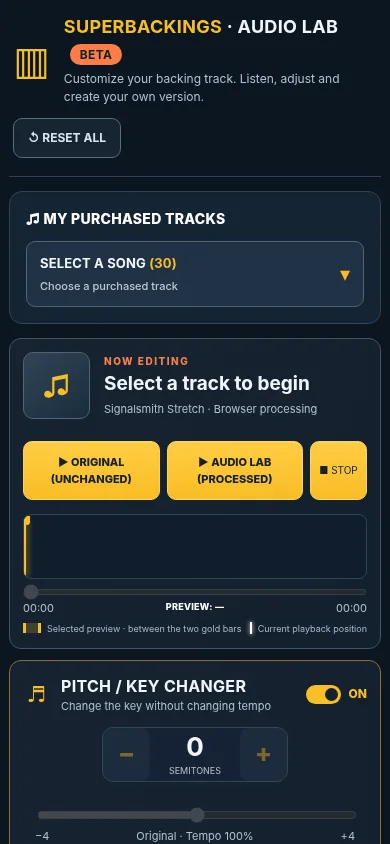
DESIGNED FOR SMALL SCREENS TOO
On mobile, the song selector stays compact. Search by song or artist, load your track, then adjust and export without navigating through a long list.
For long songs and large exports, processing may take longer depending on your device and browser.
BEFORE YOU START
Yes, Audio Lab is a free optional beta for eligible individually purchased Superbackings tracks. You cannot upload arbitrary external MP3 files. You must sign in with your account to open your purchased music.
Individually purchased tracks from completed orders can be used when their downloads are still available and the account is eligible. Albums are not included in Audio Lab.
Expired songs remain visible in your library, but are locked in Audio Lab until you complete the existing reactivation process.
No. Your original purchased file is unchanged. Adjusted versions are generated in your browser. Processing can affect audio quality.
No. The current free beta processes eligible individual backing tracks you already purchased from Superbackings. It is not a general-purpose file upload service.
Internet access is required to sign in, load your purchased track and load the audio processing libraries.
No. The pitch shifter is designed to transpose the musical key while keeping the tempo unchanged. However, more extreme processing can introduce audible artifacts.
No. Results depend on the source track and the settings you choose. The optional processing results are not part of the original purchased audio product.
READY TO GET STARTED?
Audio Lab is free for eligible individual tracks purchased at Superbackings. Sign in above to open your music library, or explore our backing track catalog.