HOW TO USE THE REHEARSAL STUDIO DEMO
Before you buy a backing track, hear how your voice sounds with it!
Sing along with a free 30-second demo, try different keys, record your performance, add vocal effects and download your mix — all before deciding whether to buy the full song.
No purchase required to rehearse. All recording stays in your browser.
🎙 OPEN REHEARSAL STUDIO DEMOCHOOSE A SONG & SING ALONG!
Find a song you love in the Superbackings catalog.
Open the song's Track Details page and click the SING ALONG! button next to the demo player. REHEARSAL STUDIO DEMO will open with that song's 30-second demo already loaded — no copying or pasting links required.
SEARCH A SONGPLAY & FIND YOUR PERFECT KEY
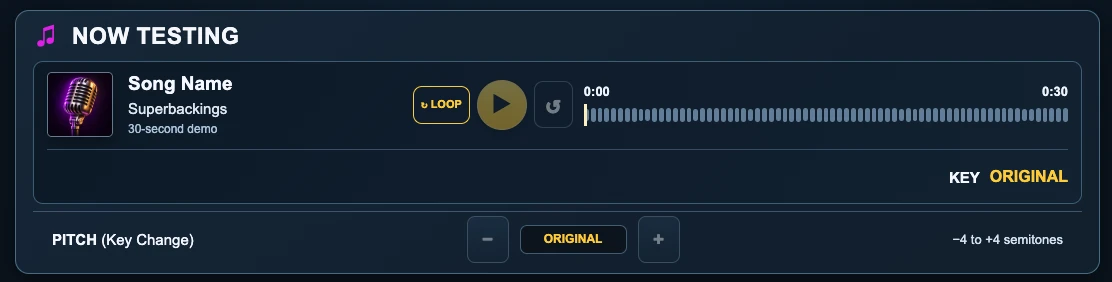
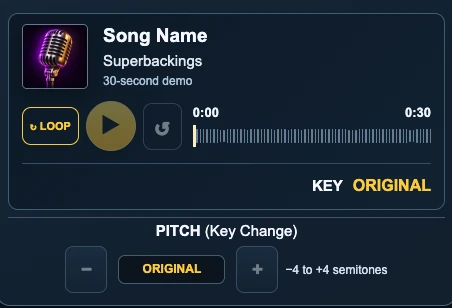
Listen, repeat and try the most comfortable key for your voice.
 ↗ View full size
 ↗ View full size
- PLAY ▶ — Listen to the 30-second demo; press again to pause.
- LOOP ↻ — Repeat the demo automatically to practice.
- RESTART ↺ — Play the demo from the beginning.
- PITCH − / + — Lower or raise the song by one semitone, up to four semitones in either direction.
- ORIGINAL — Shows that you're listening in the song's original key.
Tip: Try a few keys and sing along. Changing the key doesn't change the song's tempo.
RECORD YOUR VOICE
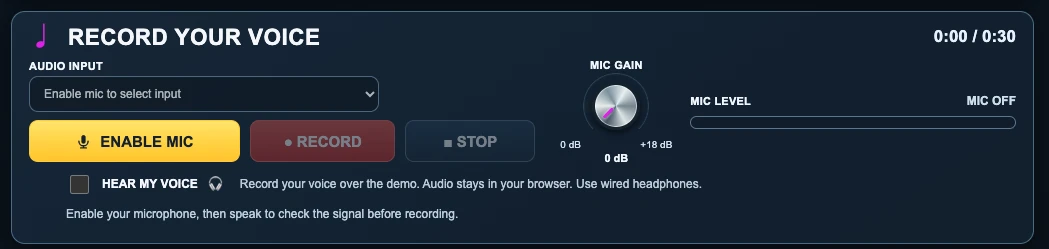
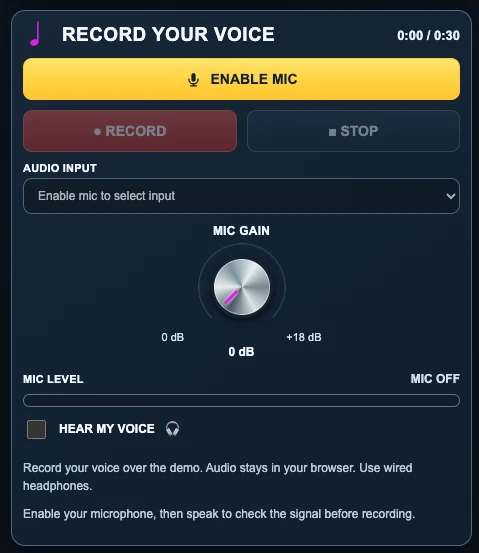
Connect your microphone, check your level and start singing!
 ↗ View full size
 ↗ View full size
- ENABLE MIC — Click or tap, then choose Allow if your browser asks to access the microphone.
- AUDIO INPUT — Choose your built-in or external microphone.
- MIC GAIN — Begin at 0 dB. Raise the gain only if your input is too quiet.
- MIC LEVEL — Speak or sing: the meter should move when your microphone is working.
- HEAR MY VOICE 🎧 — Optional live monitoring. Use wired headphones to help avoid feedback and reduce noticeable delay.
- RECORD — Start recording your voice along with the demo.
- STOP — Finish your take. You can then listen to it and adjust your mix.
Tip: If you can't hear or record yourself, check the browser's microphone permission and the selected AUDIO INPUT.
MIX YOUR VOICE LIKE A PRO
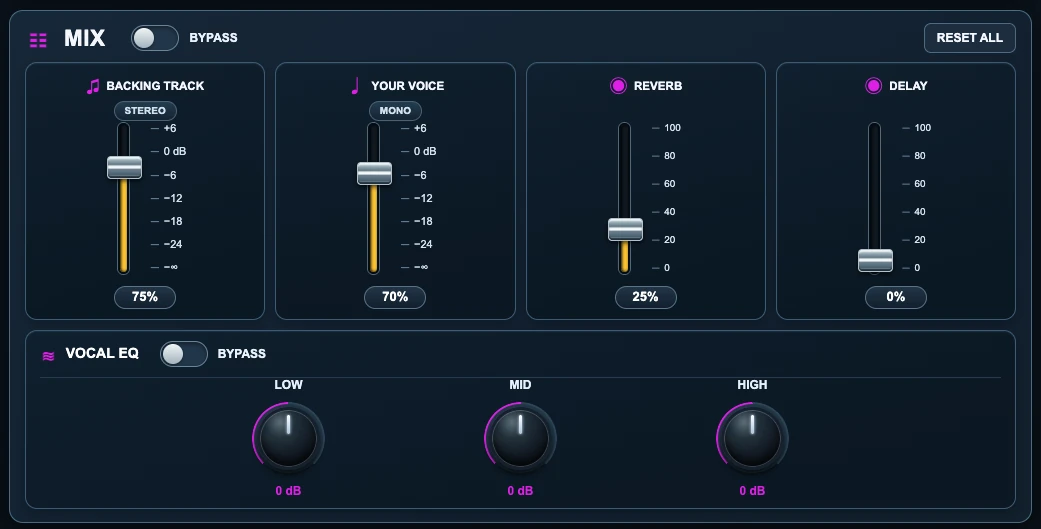
Fine-tune your sound using the controls in REHEARSAL STUDIO DEMO
 ↗ View full size
 ↗ View full size
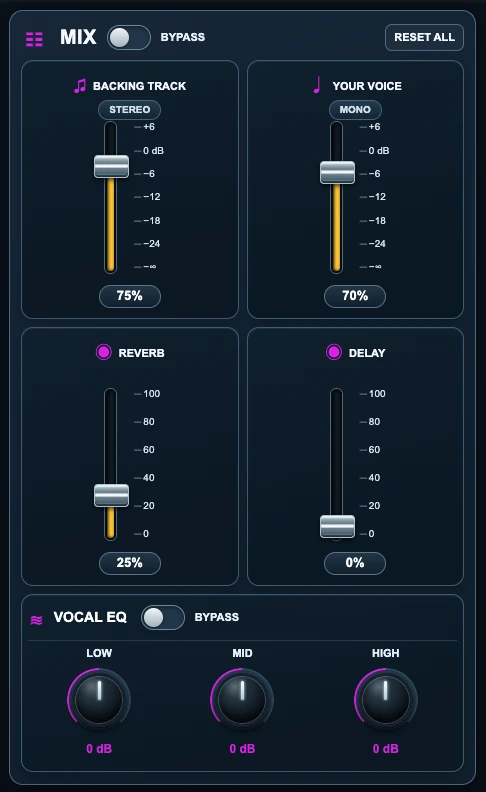
- BACKING TRACK — Set the music volume.
- YOUR VOICE — Balance your vocal volume against the backing track.
- REVERB — Add a sense of space and depth to your voice.
- DELAY — Add vocal echoes.
- MIX BYPASS — Temporarily turn Reverb and Delay off without losing their settings.
- VOCAL EQ — Adjust LOW (bass), MID (midrange) and HIGH (treble) frequencies.
- EQ BYPASS — Compare with and without EQ while keeping your knob positions.
- RESET ALL — Restore the mixer to its initial settings without deleting your recording.
Tip: Start by balancing the music and voice. Add effects a little at a time. Your settings also apply to your downloaded mix.
DOWNLOAD YOUR RECORDING
Take your rehearsal with you.
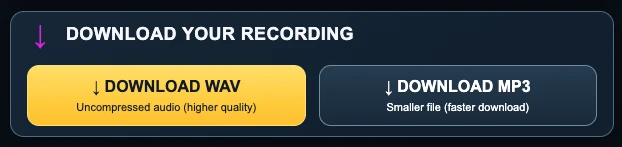
- DOWNLOAD WAV — Save uncompressed audio for higher-quality listening or further editing.
- DOWNLOAD MP3 — Save a smaller file that's easier to share.
Both formats include your recorded voice, the backing track and your chosen mix adjustments.
Tip: Download before closing the page. Your recording is stored in your browser session, not uploaded to Superbackings.
LOVE HOW YOU SOUND? GET THE FULL SONG!
Go from a free rehearsal to the complete backing track.
If you love how your voice sounds with the demo, click GET THE FULL SONG! to return to the song page on Superbackings and purchase the complete backing track. Choose your preferred key and enjoy the whole song!
Try it for free. Find your key. Love your voice. Get the full song!
FREQUENTLY ASKED QUESTIONS
A few quick answers to help you get started.
Do I need to buy the song to use REHEARSAL STUDIO DEMO?
No. You can rehearse and record with the free 30-second public demo before buying the complete backing track.
Why is the demo only 30 seconds long?
REHEARSAL STUDIO DEMO uses the song's free public demo for rehearsal. If you want the entire song, use GET THE FULL SONG! to open its purchase page.
How do I allow microphone access?
Click ENABLE MIC and accept the permission prompt in your browser. If you previously denied access, change the site's microphone permission in your browser settings, then try again. Make sure AUDIO INPUT uses the right microphone.
Should I use headphones?
Yes. Wired headphones are recommended for recording and live vocal monitoring. They help avoid speaker feedback and often reduce noticeable audio delay. Bluetooth headphones may introduce extra latency.
Can I use REHEARSAL STUDIO DEMO on my phone or tablet?
Yes, with a compatible modern browser and microphone permissions. Performance varies by device. Older phones and tablets may have more delay; a desktop or laptop computer is recommended for the best experience.
Can I change the song's key?
Yes! Use PITCH − or + to change by up to four semitones above or below the original key. The tempo stays the same.
What does BYPASS do?
MIX BYPASS temporarily turns off Reverb and Delay; EQ BYPASS temporarily turns off vocal EQ. Both preserve your settings so you can switch back without starting over.
Will RESET ALL erase my recording?
No. RESET ALL restores mixer levels and effects to their starting values. It does not delete your recorded take.
Can I save my recording?
Yes. After recording, you can download the mix as WAV or MP3. Be sure to save it before leaving the page.
Does Superbackings store my recorded voice?
No. REHEARSAL STUDIO DEMO records and mixes your audio in your browser; your vocal take isn't uploaded to Superbackings by this studio.
READY TO SING? 🎙
One song. Your voice. A key that feels just right.
OPEN REHEARSAL STUDIO DEMOREHEARSAL STUDIO DEMO by Superbackings · Free 30-second backing track rehearsal